
Description
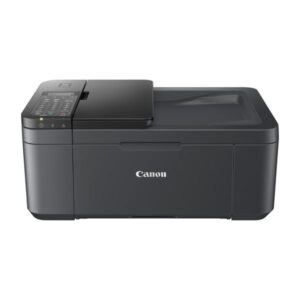
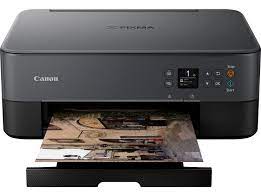
Canon Pixma Ts5340 3 in 1 inkjet printer
With snappy connectivity from palm to print, this chic and sleek 3-in-1 multifunctional is the ideal tool for crafts and creations – and the perfect print partner for your smartphone.
Minimalist with a creative twist
Stickers, magnets and crafts – unleash your creativity with a huge range of medias and apps. With easy connectivity, simplified OLED display, LED status bar and first-class FINE cartridges, this chic printer packs a punch for the smartphone-savvy.
Make it your own with the Canon PIXMA TS5340
Smart and connected
Print, scan, copy and connect to Facebook, Instagram and other cloud** accounts from your smartphone using the Canon PRINT app, or print app-free with AirPrint (iOS) and Mopria (Android).
Unleash your creativity
Use the printer’s 45 built-in patterns to design scrapbooks or your own wrapping paper. Get creative using Canon’s Easy-PhotoPrint Editor app for iOS or Android.
Specifications
-
Top results
FINE cartridges with ChromaLife100 ink
-
Wireless connectivity
Canon PRINT app, AirPrint (iOS) and Mopria (Android)
-
Mix and match
2-way paper feed
-
Paper saving
Auto 2-sided printing
-
Simple control
1.44″ OLED display, QR button, Wireless Connect
-
Status at a glance
LED status bar
-
Easy paper loading
Auto paper width detection
-
Borderless photo printing
4×6″ borderless photos in just 36 seconds
What’s in the box
A complete kit to start your creative printing journey:
-
All-in-one printer – PIXMA TS5340
-
FINE cartridges
-
Power cord
-
Set-up CD-ROM
-
Manuals
-